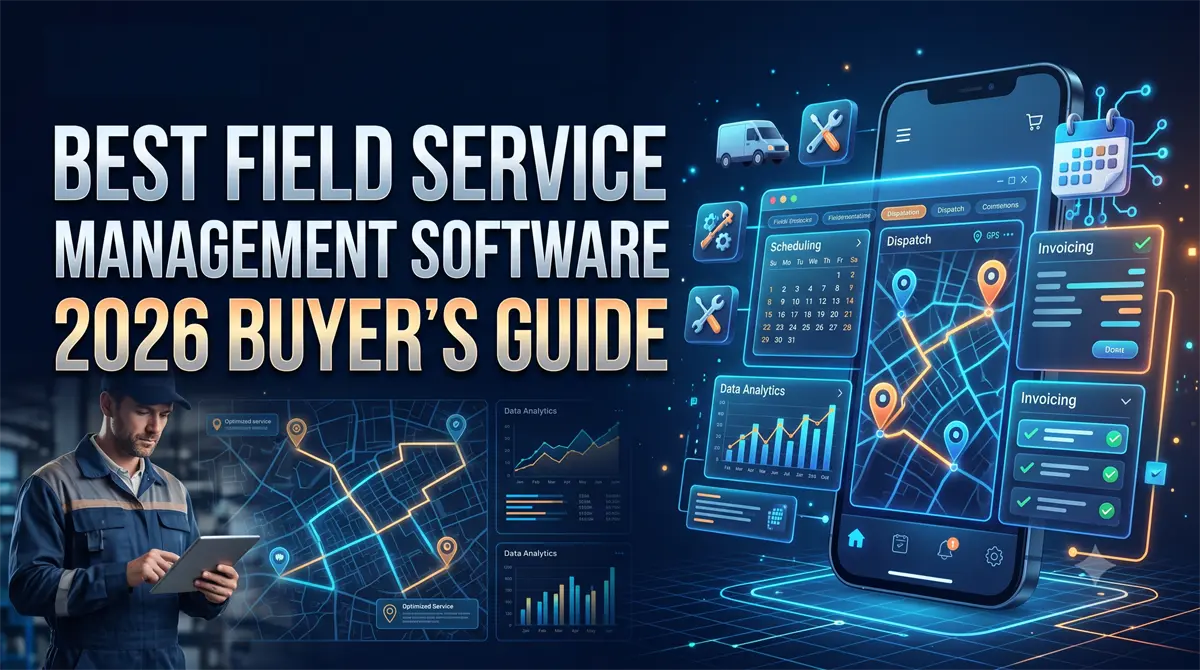
Are you losing high-ticket jobs because you are relying on messy spreadsheets instead of a dedicated CRM, resulting in double-booked technicians and delayed invoices? If your current dispatching system is bottlenecking your growth, you need the best field service management software to automate your operations.
Upgrading your digital infrastructure is the fastest way to increase technician utilization and plug revenue leaks. However, choosing the wrong platform can trap your contracting business in expensive contracts with complicated features your crew will refuse to use.
In this guide, we break down the top operational tools specifically designed for growing home-service contractors. We will help you find the perfect tech stack to scale your business predictably and highlight exactly where to claim the best partner trials.
Prefer a visual walkthrough? Watch our quick 4-minute software breakdown below to see the dispatch boards in action before diving into the full list:
5 Best Field Service Management Software Tools Ranked!
After evaluating the highest-rated software vendors in the industry, here is our breakdown of the platforms that actually deliver operational scale.
1. Jobber (Best Overall for Most Contractors)
Jobber is the undisputed king of usability. If your business is doing under $5M in annual revenue and you want to move away from whiteboards immediately, this is your solution.
It handles everything from the initial client request to drag-and-drop dispatching, automated quoting, and final invoicing. The mobile technician enablement feature ensures your crew can upload photos, collect signatures, and process credit cards directly from the field.
- Pros: Incredibly intuitive mobile app; seamless Quickbooks integration; built-in automated follow-ups for unpaid invoices.
- Cons: Lacks the ultra-advanced inventory management required by massive $50M+ enterprises.
Bottom Line: Jobber provides the fastest time-to-value of any tool on the market.
Prefer a visual walkthrough? Watch our complete 8-minute hands-on test of Jobber's mobile dispatch board and client hub below:
➜ Click Here to Start Your Free 14-Day Trial of Jobber and Automate Your Dispatching Today
Jobber Pricing & Plan Selection Guide
Not sure whether the Core, Connect, or Grow plan fits your crew size? Here is our 4-minute breakdown of the features you actually need (and what to skip):
2. ServiceTitan (Best for Scaling Enterprises)
ServiceTitan is the heavy-hitter of the contractor world. It is designed specifically for highly scaled HVAC, plumbing, and electrical businesses that require deep reporting.
This platform excels at workforce optimization and predicting revenue. It tracks exact profit margins on every single service call, measures call-booking rates for your front desk, and features an elite “good, better, best” presentation mode for field sales.
- Pros: Unmatched reporting capabilities; incredible presentation tools for high-ticket sales.
- Cons: Expensive implementation; steep learning curve requires dedicated training time.
➜ Book Your Custom ServiceTitan Demo Here & See How Top Enterprises Scale
3. Housecall Pro (Best for Solo Operators & Small Teams)
Housecall Pro is a highly popular tool for smaller operations and independent technicians. It offers a very clean, straightforward interface that won't overwhelm a one-truck business.
Its core capabilities include standard scheduling, dispatching, and a fantastic automated review-generation feature. When a job is complete, it automatically texts the homeowner asking for a Google review, helping you dominate local SEO.
- Pros: Very affordable entry-level pricing; excellent automated review requests.
- Cons: Pricing can scale up quickly as you add multiple technicians and dispatchers.
See how Housecall Pro handles automated text alerts and on-site payments in our quick 3-minute walkthrough:
➜ Claim Your Housecall Pro 14-Day Free Trial Here & Start Booking Online
4. Service Fusion (Best for Mid-Market HVAC & Plumbing)
Service Fusion positions itself as an enterprise-grade platform without the massive enterprise price tag. It is highly favored by mid-market companies that need robust asset management and inventory tracking.
The software handles complex dispatching, GPS fleet tracking, and multi-option quoting seamlessly. Best of all, it offers flat-rate pricing rather than charging per user, saving scaling teams thousands of dollars as they add new technicians.
- Pros: No per-user pricing (flat-rate monthly fee); strong fleet tracking integrations.
- Cons: The mobile application is slightly less intuitive than Jobber’s.
➜ Schedule A Service Fusion Demo Here To Lock In Flat-Rate Pricing
5. QuoteIQ (Best for Solopreneurs & Rapid Estimating)
QuoteIQ has rapidly become a top-tier choice for owner-operators and growing home service crews (such as pressure washing, landscaping, and window cleaning). Co-created by actual field service business owners, this platform strips away bloated enterprise features to focus on what actually drives cash flow: sending professional quotes in seconds, tracking business expenses, and collecting payments seamlessly.
One of its most unique features is the built-in map measuring tool, allowing you to measure property square footage directly from satellite views to generate ultra-accurate estimates without ever driving to the job site.
- Pros: Incredibly fast map-based quoting system; designed specifically by and for home service entrepreneurs; highly affordable tiered pricing.
- Cons: Lacks the complex multi-branch inventory and advanced fleet routing required by massive 100+ truck operations.
➜ Click Here to Try QuoteIQ and Start Sending Professional Estimates Today
Head-to-Head: Jobber vs. Housecall Pro :
Deciding between the two industry favorites? Watch our head-to-head comparison covering dispatcher ease-of-use, mobile reliability, and fee structures:
The Hidden Costs of FSM Migration (What Enterprise Tech Vendors Ignore)
When choosing a platform, looking purely at the monthly subscription fee is a massive mistake. The true cost of upgrading your tech stack is found in the migration process.
If you choose a bloated, overly complex system, your technicians will refuse to use it in the field. This leads to missing data, skipped invoices, and massive operational friction that kills your profit margins.
Always factor in the “time-to-value” before committing. Platforms like Jobber and Housecall Pro can be deployed and learned by your crew in under a week, whereas heavier platforms require 30 to 90 days of dedicated onboarding.
How to Choose the Right Software For Your Operations :
Finding the right fit depends entirely on your current revenue stage and specific use cases. Use this expert checklist to evaluate your software options:
- Evaluate Mobile Enablement: Your front office is only as good as the data coming from the field. Ensure the mobile app works seamlessly offline, allowing techs to update job statuses even in dead zones.
- Check Accounting Integrations: Never buy a system that doesn't natively integrate with your accounting software. Manual double-entry will destroy your time and your margins.
If you are currently stuck doing this manually, you can download my free contractor time tracking template to help organize your hours, but your ultimate goal should be to automate contractor payroll completely using an integrated CRM.
- Assess Customer Support: When your dispatch board goes down at 8:00 AM on a Monday, you cannot afford to wait 48 hours for an email response. Prioritize vendors with live phone support.
Looking beyond the top picks for specialized trade features? Here is a quick 4-minute summary of the 5 best alternatives to Jobber for 2026:
Conclusion: Upgrade Your Infrastructure Today
Operating a service business without a dedicated CRM is a guaranteed way to hit a revenue ceiling. To scale predictably, you must stop relying on manual memory and start relying on automated systems.
For the vast majority of growing home-service contractors and agencies, we strongly recommend Jobber for its seamless usability, or Housecall Pro if you are a solo operator focused on driving Google reviews.
Choose the tool that fits your current business size, claim your affiliate trial through the links above, and automate your dispatching today.
Disclosure: The Techno Galaxy is reader-supported. If you purchase software or services through links in this post, we may earn a commission at no additional cost to you. We only recommend enterprise-grade tools we have thoroughly vetted to help scale your operations.